Best Portable Wireless Routers for Students
As an Amazon Associate, I earn from qualifying purchases. This article may contain affiliate links, which means we may receive a commission at no extra cost to you.
As an Amazon Associate, I earn from qualifying purchases. This article may contain affiliate links, which means we may receive a commission at no extra cost to you.
College life demands flexibility: late-night study sessions in the dorm, group projects in a coffee shop, weekend trips, and the occasional conference or internship that requires a reliable connection. Built-in public Wi‑Fi can be slow, insecure, or restricted to one device—problems a compact portable router is designed to solve. This guide walks through five solid TP-Link options that students commonly choose, covering practical benefits, real-life scenarios, and buying considerations so you can pick the one that fits your lifestyle and budget.
Why portable routers for students? They create a private network from public or wired internet, let multiple devices connect without juggling mobile hotspots, add an extra layer of security when working on sensitive assignments, and are small enough to live in a backpack. Below you’ll find a buyer guide that explains the technical terms in plain language, followed by detailed product sections that highlight who each router is best for and how it performs in realistic settings.
Buying Guide
Key features to weigh when choosing a portable router for student life:
1) Wireless Standard (AX vs AC vs N): Wi‑Fi 6 (AX) offers better performance in crowded environments and lower latency for video calls and cloud-based work. AC (802.11ac) is still capable and often cheaper, while N (802.11n) is ultra‑basic and best only for very light browsing.
2) Dual‑Band vs Single‑Band: Dual‑band (2.4GHz + 5GHz) helps separate streaming/conferencing (5GHz) from long-range device connections (2.4GHz). For dorms and cafes, dual‑band is highly recommended.
3) Power and Portability: Look for USB‑C or USB‑powered units to charge from a laptop or power bank. Size and weight matter—lightweight models fit in a pocket, while slightly larger ones may offer faster ports or better antennas.
4) Multi‑Mode Flexibility: Travel routers that support router/hotspot/bridge/extender/AP/client modes are more useful across hotels, campus Ethernet ports, or when turning tethered mobile data into a multi‑device Wi‑Fi network.
5) Security & VPN Support: Built‑in VPN client support (OpenVPN, WireGuard®) and up‑to‑date encryption (WPA2/WPA3 where available) help secure your traffic on public Wi‑Fi.
6) Ethernet & USB Ports: If you occasionally need wired performance for a laptop or local file sharing, a gigabit or 2.5G port is a plus. USB ports can enable file sharing or phone tethering.
7) App and Setup: A simple mobile app and clear setup process are lifesavers when you’re short on time. Check whether the router offers intuitive tethering or sharing features.
Who should prioritize what? If you move between hotels and libraries, prioritize multi‑mode and VPN. If you live in a dense dorm, Wi‑Fi 6 and dual‑band matter. If you just need a pocket fallback, an N or AC nano router will save money and fit a pocket.
Budget, battery requirements, and futureproofing will drive the final choice. Below are five TP‑Link models that collectively cover the range of student needs, from ultra‑compact pockets to higher‑performance travel routers.
TP-Link Roam 6 AX1500 Portable Wi-Fi 6 Travel Router Dual-Band | Easy Public WiFi Sharing | Hotel/RV/Travel Approved | Phone WiFi Tether | USB C 3.0 | Multi-Mode | OpenVPN, WireGuard® | TL-WR1512X

Best For:
Students who need Wi‑Fi 6 performance for multi‑device use—ideal for remote learning, group streaming, and travel.
The TP‑Link Roam 6 TL‑WR1512X is a travel‑focused Wi‑Fi 6 (AX1500) portable router designed for students and frequent travelers who need faster, more reliable connections in crowded public networks. With dual‑band operation, USB‑C 3.0 power, and multi‑mode capabilities, it turns hotel Wi‑Fi, wired Ethernet, or a phone hotspot into a private network for multiple devices. It also supports OpenVPN and WireGuard®, which can be set up to encrypt traffic when using public hotspots.
Main benefits: The Wi‑Fi 6 chipset helps reduce latency and improves overall responsiveness when multiple devices are connected—a real advantage during group video calls or cloud‑based collaboration. Compared with older N or AC nano routers, the Roam 6 handles congested dorm and café environments better and retains a compact footprint that fits in a backpack compartment.
Real‑life usage: Imagine arriving at a conference hotel with shared Wi‑Fi that limits device connections. Plug the Roam 6 into the wired room port or connect to the hotel’s open network, enable its share mode, and all group members can use a secure personal network. For students living in a dorm with spotty Wi‑Fi, tethering a phone and letting the router broadcast a stronger, multi‑device 5GHz signal makes streaming lectures and Zoom calls smoother.
Problems solved: It bypasses single‑device hotspot limits, reduces interruptions during online classes, and improves security on public networks through VPN support. The USB‑C 3.0 power connection is convenient for modern laptops and power banks—no awkward adapters required.
Buying considerations: If you expect to rely on older devices only, full Wi‑Fi 6 benefits may be limited. Also, battery operation depends on an external power bank unless you opt for a variant with an internal battery. Compare its performance against AC alternatives if budget is a priority.
Who should buy it: Students who need improved performance in crowded public networks, regular travelers, and those who run multiple simultaneous video calls or cloud apps. Who may not need it: Students who only browse lightly or those on very tight budgets might be fine with a cheaper AC or N model.
Check the latest price on Amazon.
Pros
- Wi‑Fi 6 (AX1500) improves performance in crowded networks
- Dual‑band for flexible 2.4/5GHz usage and lower latency
- OpenVPN and WireGuard® support for secure browsing
Cons
- Requires external power bank for true mobile battery use (unless bundled otherwise)
- Higher cost than basic AC/N nano routers
Check the latest price on Amazon.
TP-Link AC750 Wireless Portable Nano Travel Router(TL-WR902AC) – Support Multiple Modes, WiFi Router/Hotspot/Bridge/Range Extender/Access Point/Client Modes, Dual Band WiFi, 1 USB 2.0 Port

Best For:
Students seeking an affordable, multi‑purpose travel router for sharing hotel or wired campus connections.
The TP‑Link TL‑WR902AC AC750 is a compact dual‑band travel router suited to students who need a reliable, budget‑minded option for sharing Wi‑Fi or converting wired connections into a private network. Supporting multiple modes—router, hotspot, bridge, range extender, access point, and client—it’s versatile enough for dorm rooms, study groups, and short trips.
Main benefits: Its tiny form factor and the support for both 2.4GHz and 5GHz bands give you the option to prioritize range or speed. The built‑in USB 2.0 port can be used for file sharing or limited tethering in some setups, and the device’s mode flexibility lets it act as an access point from campus Ethernet or extend weak campus Wi‑Fi into a stronger private SSID.
Real‑life usage: For group study sessions in a library, the TL‑WR902AC can plug into a wired Ethernet port and produce a private Wi‑Fi network for several laptops and tablets. On weekend trips where only a single‑device hotel connection is allowed, this router shares a single login so everyone in your study group can join. It’s also convenient for international students who occasionally need to bridge local ISPs into a familiar home network environment.
Problems solved: It eliminates the hassle of device limits on public networks and provides a consistent local network for file sharing, collaborative editing, and streaming lectures. While it won’t match newer Wi‑Fi 6 models for congestion handling, it offers a price‑sensitive balance of performance and portability.
Buying considerations: Expect slower theoretical top speeds compared with AC1200+ or AX models, but real‑world performance is solid for video calls and general browsing. If you depend heavily on low latency (competitive gaming or heavy cloud workflows), consider a higher‑end AC or AX alternative.
Who should buy it: Budget‑conscious students who want a flexible, pocketable device to share hotel or wired campus internet. Who may not need it: Users requiring the absolute fastest connections or futureproofing with Wi‑Fi 6.
Check the latest price on Amazon.
Pros
- Extremely compact and pocketable
- Multiple operation modes for flexible use
- Dual‑band support at a budget price
Cons
- USB 2.0 is limited compared with newer USB‑C options
- Not as futureproof as Wi‑Fi 6 models
Check the latest price on Amazon.
TP-Link Roam 6 AX1500 Portable Wi-Fi 6 Travel Router | Easy Public WiFi Sharing | Hotel/RV/Travel Approved | Phone WiFi Tether | USB C Powered | Multi-Mode | Tether App | Durable Design | TL-WR1502X

Best For:
Students who value ease of setup, USB‑C power, and Wi‑Fi 6 performance for multi‑device group work.
The TP‑Link Roam 6 TL‑WR1502X offers Wi‑Fi 6 performance in a travel‑ready package with a focus on easy setup and modern power delivery via USB‑C. It’s similar in capability to the TL‑WR1512X but emphasizes a durable exterior and a mobile‑friendly app for quick tethering and network sharing—attributes that appeal to students who move between campus, coffee shops, and travel destinations.
Main benefits: Like other Wi‑Fi 6 routers, the Roam 6 TL‑WR1502X reduces congestion and improves efficiency when many devices are active—handy for roommates streaming lectures while you join a group video meeting. The Tether app simplifies configuring a secure SSID from a hotel or tethered phone connection, so you don’t need to dive into complex web admin pages.
Real‑life usage: Picture working on a group assignment in a busy campus lounge. Using this router, you can tether your phone’s data and share a stable, private 5GHz connection with three to five classmates for collaborative document editing and video review. On extended travel, its USB‑C power compatibility means you can use a laptop or modern power bank to keep it running without carrying proprietary chargers.
Problems solved: It minimizes dropped video calls, streamlines secure sharing of public Wi‑Fi, and offers clearer separation between personal and public networks. Compared to single‑band pocket routers, it delivers smoother HD streaming and more robust connection handling when multiple devices are active.
Buying considerations: The router’s advantages are most noticeable in congested environments; if you primarily use one device or have excellent campus Wi‑Fi, the upgrade to a Wi‑Fi 6 router may be less noticeable. Confirm the app and firmware update cadence if you rely on feature additions or security patches.
Who should buy it: Students who want an easy‑to‑use, futureproof travel router with USB‑C power and app control. Who may not need it: Minimalist users who only need occasional single‑device tethering can opt for a basic portable model.
Check the latest price on Amazon.
Pros
- User‑friendly Tether app for quick setup
- USB‑C powered for modern power banks and laptops
- Wi‑Fi 6 performance in a travel‑ready shell
Cons
- Benefits limited if you mostly use single devices
- May be pricier than basic AC models
Check the latest price on Amazon.
TP-Link Roam 7 BE3600 Wi-Fi 7 Portable Travel Router | Dual-Band, 2.5G Port, USB 3.0 | Multi-Modes in One | OpenVPN, WireGuard® | Public WiFi Sharing for Hotel/Cruise/RV/Plane | No 6 GHz | TL-WR3602BE

Best For:
Students needing top wired throughput and advanced multi‑device performance—ideal for media projects and heavy file transfers.
The TP‑Link Roam 7 BE3600 steps up as a cutting‑edge choice for students who want the latest standards and higher wired throughput. Offering Wi‑Fi 7 architecture in a portable unit (dual‑band with no 6GHz), a 2.5G Ethernet port, and USB 3.0 power/utility, it’s aimed at users who want top‑tier latency and room for heavier cloud workflows or multiple simultaneous HD streams.
Main benefits: The higher throughput components and 2.5G port provide stronger wired performance for laptops during deadlines or when transferring large project files to a teammate’s machine. Compared with earlier AC or AX devices, the Roam 7’s hardware better accommodates many streaming HD lectures, quick large file transfers, and group collaboration without the bottlenecks typical of single‑gigabit wired ports.
Real‑life usage: Imagine preparing a multimedia project with teammates—editing large video clips, uploading drafts to cloud storage, and running frequent remote review sessions. The Roam 7 lets you plug a laptop into a 2.5G port for faster file transfers while still hosting a strong Wi‑Fi network for everyone else. On cruises or long flights where wired or satellite connections are limited, its ability to share a single connection securely is useful.
Problems solved: It removes wired bottlenecks, reduces lag on simultaneous streams, and supports modern device needs with USB 3.0 convenience. The absence of 6GHz limits full Wi‑Fi 7 spectrum advantages, but for most student use cases the quicker Ethernet and optimized internal components provide tangible gains.
Buying considerations: This model is a forward‑looking pick; if you primarily need simple hotspot sharing, the extra capability may be overkill. Also check compatibility with campus policies—some networks limit router use on Ethernet drops. Battery dependence remains—bring a power bank if you need truly mobile operation.
Who should buy it: Power users who handle heavy multimedia coursework, frequent large file transfers, or want the fastest wired-to-device option. Who may not need it: Casual users or those on a tight budget who won’t use the extra wired speed or advanced features.
Check the latest price on Amazon.
Pros
- 2.5G Ethernet for faster wired transfers
- USB 3.0 for better power and peripheral support
- Designed for high concurrency and heavy workloads
Cons
- Doesn’t include 6GHz band to fully leverage Wi‑Fi 7 spectrum
- Higher complexity and cost than basic travel routers
Check the latest price on Amazon.
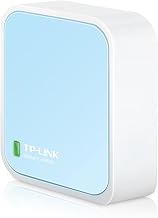
TP-Link N300 Wireless Portable Nano Travel Router(TL-WR802N) – WiFi Bridge/Range Extender/Access Point/Client Modes, Mobile in Pocket
Best For:
Students who want the smallest, most affordable router for basic internet sharing and occasional travel use.
The TP‑Link TL‑WR802N N300 is a classic pocketable travel router that prioritizes size, simplicity, and affordability. It lacks the faster bands of AC and AX devices, but its ultra‑compact design and straightforward modes (bridge, range extender, access point, client) make it a practical fallback for students who primarily need basic internet sharing and minimal fuss.
Main benefits: It’s extremely small—easy to stash in a pencil case or pocket—and offers a simple way to convert a wired connection into Wi‑Fi or to extend a weak network. For non‑bandwidth‑intensive tasks like research, email, and document editing, it provides an economical and reliable local network.
Real‑life usage: If you’re doing a late‑night library session and the wired study room port is awkward to access, plug the TL‑WR802N into the Ethernet and run a private Wi‑Fi network for your laptop and phone. For a study group on a budget, it’s an inexpensive method to let everyone join a single wired or public connection.
Problems solved: This model addresses device limits on public Wi‑Fi and provides a tiny, unobtrusive private network for basic needs. It’s not designed for heavy streaming or modern multiplayer gaming, so expectations should be set accordingly.
Buying considerations: The TL‑WR802N is ideal for a student who values price and portability over speed. If you stream HD lectures, frequently run video calls, or share network-intensive tasks with roommates, an AC or AX model will give noticeably better experience.
Who should buy it: Minimalists and budget buyers who need a pocketable way to share wired or public connections for light use. Who may not need it: Students relying heavily on streaming, gaming, or multiple concurrent HD video calls.
Check the latest price on Amazon.
Pros
- Ultra‑compact and extremely portable
- Very affordable for simple networking needs
- Multiple modes provide flexible use
Cons
- Limited speed (N300) not suited for heavy streaming
- Fewer modern features compared with AC/AX models
Check the latest price on Amazon.
Final Verdict
Choosing the right portable router for student life comes down to matching capability with how you actually use the internet. For students who regularly contend with crowded Wi‑Fi and multiple devices—especially for video calls, cloud coursework, and streaming—the TP‑Link Roam 6 models (TL‑WR1512X and TL‑WR1502X) offer a smart upgrade with Wi‑Fi 6 performance and modern power options. If wired speed and heavy media projects are central to your coursework, the Roam 7 BE3600 adds a 2.5G port and USB 3.0 to minimize bottlenecks. For budget‑minded or ultra‑portable needs, the TL‑WR902AC and TL‑WR802N remain practical choices that deliver reliable sharing and multi‑mode flexibility without breaking the bank.
When choosing, consider how often you travel, whether you need wired speeds or just secure wireless sharing, and whether an app or VPN support matters to you. Also check power options—USB‑C and power‑bank compatibility can be deciding factors for truly mobile usage.
Whichever model you pick, a portable router can simplify group work, secure public Wi‑Fi sessions, and let you reclaim a reliable network in dorms, hotels, and shared workspaces. If you’re unsure, start with an AC750 model for balanced price and function; upgrade to AX or BE options when performance needs increase.
Check the latest price on Amazon.
Conclusion
These Best Portable Wireless Routers for Students picks are trending now and offer great value and variety. Check the links above for latest prices and reviews.
As an Amazon Associate, I earn from qualifying purchases.
Tags:
portable router, travel router, student wifi, wifi 6 router, TP-Link travel router, wireless hotspot, dorm wifi
