Best Educational Coding Books for Beginners
As an Amazon Associate, I earn from qualifying purchases. This article may contain affiliate links, which means we may receive a commission at no extra cost to you.
If you’re starting a coding journey or looking for age-appropriate resources for a child or teen, the right book can remove overwhelm and turn abstract concepts into hands-on learning. This guide highlights five highly regarded educational coding books that focus on clarity, projects, and gradual skill-building. I researched formats, intended audiences, teaching approaches, and common reader feedback to assemble options suited to different learning styles—from tactile screen-free activities and workbook-driven logic puzzles to project-based Python guides and comprehensive middle school study references.
Affiliate disclosure (again up front): As an Amazon Associate, I earn from qualifying purchases. This article may contain affiliate links, which means we may receive a commission at no extra cost to you.
Below you’ll find quick snapshots, in-depth descriptions, realistic use cases, and pros and cons to help you choose the book that matches your learner’s age, attention span, and goals.
Buying Guide
How to choose the right beginner coding book
1) Decide the learner’s age and attention span: Books aimed at younger children (8–12) tend to include short activities, puzzles, and illustrations to keep engagement high. Older beginners and teens benefit from project-based books that assume stronger reading comprehension and patience for debugging.
2) Project-based vs. workbook vs. reference: Project-based books (common in Python introductions) teach by doing—building games, animations, or utilities that reward effort visually. Workbooks and screen-free activity books prioritize unplugged logic exercises that strengthen computational thinking without a computer. Reference-style guides and study-notebook formats are best for classroom reinforcement and exam prep, offering concise summaries and note-style explanations.
3) Language and tool focus: If your goal is general problem-solving, a logic workbook or algorithm primer is fine. If you want practical coding skills immediately applicable to web development, data tasks, or automation, choose a Python-focused or course-style book that includes real code, step-by-step instructions, and sample projects.
4) Learning support: Look for books that include clear step-by-step instructions, screenshots or diagrams, downloadable starter files, and tips on troubleshooting common errors. Many readers—especially self-taught learners—benefit from books that anticipate stumbling blocks and provide simple debugging strategies.
5) Pace and scope: Beginners often prefer short bite-sized lessons that build gradually. Avoid books that cram advanced topics too soon or assume background knowledge. Conversely, if you want a deeper dive, choose a longer course-style book that maps a path from foundations to intermediate skills.
6) Compare with online courses: Books are portable, cheaper, and less distracting; online interactive platforms offer immediate code execution and feedback. Combining a book with an online REPL or free IDE gives the best of both worlds—guided reading with hands-on practice.
With these criteria in mind, the options below cover screen-free logic practice, stepwise course books, project-driven Python titles, and a classroom-friendly study guide.
Beginner’s Step-by-Step Coding Course: Learn Computer Programming the Easy Way (DK Complete Courses)

Best For:
Absolute beginners, visual learners, middle-school to adult learners who want a structured, offline primer.
Introduction hook
DK’s step-by-step coding course is designed to demystify programming for absolute beginners. It takes a structured, classroom-style approach that walks readers through the fundamentals of how computers think, basic programming constructs, and simple projects that demonstrate core concepts without assuming prior experience. The book’s layout favors clear visuals—diagrams, screenshots, and annotated examples—so learners can see the relationship between code and behaviour.
Main benefits
This book excels at pacing and clarity. Lessons are broken into short, digestible sections that focus on one concept at a time—variables, conditionals, loops, functions—followed by practical exercises. For visual learners, the use of color-coded examples and flow diagrams helps internalize logic before attempting to code. The book also explains common errors and debugging tips, which is useful for self-taught readers who don’t have an instructor to ask.
Real-life usage examples
A parent working with a middle-schooler can use this as a weekly lesson plan: read one short chapter together, try the example in a free online editor, then tackle the end-of-chapter exercise. A high-school student exploring computer science could use the book to prepare for introductory school assignments or to build a small portfolio of projects—simple calculators, text-based games, or iteration-based graphics. It’s also a good pick for adults switching careers who prefer a non-technical, language-agnostic primer before committing to a specific programming language.
Why the product is valuable
Compared to quick-start online tutorials, DK provides a cohesive learning path that reduces scattered explanations and fills in conceptual gaps. The curated progression helps learners avoid common pitfalls and reduces the cognitive load by sequencing topics logically. While not as deep as a full textbook or as interactive as an online IDE-based course, it strikes a balance between readability and substance.
Who should buy it—and who might not need it
Buy this if you want a visually-driven, well-organized introduction that you can read offline and revisit. It’s especially helpful for younger teens or adults who appreciate structure. If you prefer live coding exercises with instant feedback or are already comfortable with coding basics, you may find the pace too introductory.
Buying considerations
Pair the book with an online code editor (Repl.it, Trinket, or a local IDE) to run examples. Check for the latest edition to ensure updated tools and screenshots. DK titles are often classroom-friendly and durable, making them a good reference for repeated use.
Friendly conclusion + CTA
If you want a clear, guided path into programming that balances visuals and practical exercises, DK’s step-by-step course is a dependable starting point. Grab your copy and begin building foundational skills today. Check the latest price on Amazon.
Pros
- Clear, visual layout with step-by-step lessons
- Good pacing for beginners and learners who prefer offline study
- Covers core programming concepts and debugging tips
Cons
- Less interactive than online platforms
- May be too introductory for those with some coding experience
Interested in a structured introduction to programming? Check the latest price on Amazon.
The Big Coding and Logic Workbook for Kids: 222+ Fun and Engaging Screen-Free Coding Activities and Logic Puzzles – Ages 8–12

Best For:
Children ages 8–12, homeschoolers, classroom warm-ups, parents wanting screen-free logic development.
Introduction hook
For parents and educators who want to develop computational thinking without screen time, The Big Coding and Logic Workbook for Kids delivers over 222 activities that build pattern recognition, sequencing, and problem-solving—skills that are the foundation of coding. It’s an unplugged approach that makes logical reasoning accessible and fun for elementary and early middle-school children.
Main benefits
The workbook focuses on exercises rather than syntax. Activities include puzzles, mazes, pattern-completion tasks, and step-by-step logic challenges that teach the thought processes behind algorithms. Because the activities are screen-free, this book is ideal for travel, classrooms, or for limiting device use at home. The variety of exercises helps maintain interest across different learning styles; some activities are quick five-minute puzzles, others are longer projects that require planning and iteration.
Real-life usage examples
A homeschool parent can use the workbook as a daily starter activity to warm up logical thinking before moving to a computer. Teachers can incorporate exercises into a computer lab schedule where students first solve problems on paper and then translate their solutions into block-based code on Scratch. Families can use the book during car trips or as rainy-day activities that still strengthen reasoning and persistence.
Why the product is valuable
Compared with early coding apps and screen-based games, this workbook reduces distraction and focuses purely on the cognitive skills that underpin programming. Many educators report that unplugged activities improve students’ ability to plan and debug when they later move to actual code. The workbook format also gives children a tangible record of progress—a mix of checklist-like exercises and creative puzzles.
Who should buy it—and who might not need it
Buy this if you want to build problem-solving skills in younger children without introducing programming syntax. It’s perfect for parents, teachers, or anyone seeking developmental activities that align with computational thinking. If the learner is older or eager to write runnable code and see immediate digital results, a project-based coding book or online platform may be a better match.
Buying considerations
Look for a recent edition with clear answer keys and durable pages suitable for classroom circulation. Consider pairing with a beginner block-based coding tool (Scratch) so kids can later apply paper-based solutions to real programs.
Friendly conclusion + CTA
If you prefer screen-free learning that strengthens the thinking behind code, this workbook is an engaging, practical choice for ages 8–12. Check the latest price on Amazon.
Pros
- Large variety of screen-free activities
- Builds foundational computational thinking
- Easy to use in classrooms or at home
Cons
- Doesn’t teach actual coding syntax
- May be too simple for older or advanced kids
Want screen-free coding practice for kids? Check the latest price on Amazon.
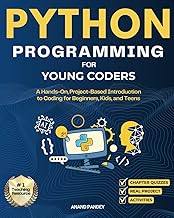
Python Programming for Young Coders: A Hands-On, Project-Based Introduction to Coding for Beginners, Kids, and Teens
Best For:
Hands-on learners, kids and teens interested in building projects, beginners who want practical, runnable code examples.
Introduction hook
Python Programming for Young Coders offers a project-based path into Python, balancing clear explanations with hands-on projects that produce visible, useful results. The book caters to motivated beginners—kids, teens, and adults—who want to learn by building: games, simple data tools, and creative scripts that reinforce programming concepts through practical application.
Main benefits
The project focus means learners quickly see the payoff of their efforts. Rather than only reading about loops and functions, readers build small games or interactive programs that demonstrate those concepts in action. The author emphasizes incremental steps, testing practices, and common pitfalls, which is helpful for newcomers who are likely to hit syntax errors or logic bugs. Many readers appreciate the conversational tone and the way complex topics are distilled into approachable sub-tasks.
Real-life usage examples
A teen with an interest in game design can follow project chapters to create a playable text or simple graphical game, then modify elements to personalize mechanics—an excellent way to learn variables, conditionals, and event-driven thinking. A middle-school coding club can use the book for weekly hands-on sessions: students read a chapter, then collaborate to complete and extend the project. Adults learning to automate small tasks can adapt the book’s examples into scripts for file handling, simple data parsing, or generating reports.
Why the product is valuable
Compared with purely theoretical introductions, project-based books accelerate retention by tying abstract ideas to concrete artifacts. Python’s readable syntax and broad applicability make it a very pragmatic first language, and this book leverages that by focusing on projects that scale in complexity. It bridges the gap between playful experimentation and purposeful development.
Who should buy it—and who might not need it
Buy this if the learner thrives on making things and benefits from immediate visual or interactive feedback. It’s well-suited for kids and teens comfortable with following multi-step instructions and those who want to build a portfolio of simple projects. If a learner prefers unplugged reasoning or needs a gentle non-technical introduction, start with a logic workbook or a more foundational primer.
Buying considerations
Ensure you have a simple Python setup or access to an online REPL to run code. Look for editions that include downloadable starter files and updated Python version compatibility. Pairing the book with community resources (forums, classroom groups) helps when troubleshooting.
Friendly conclusion + CTA
For hands-on learners who want to actually build while they learn, this project-driven Python guide is a practical and motivating choice. Check the latest price on Amazon.
Pros
- Project-based approach that reinforces learning
- Readable, beginner-friendly explanations
- Great for building a small project portfolio
Cons
- Requires access to Python or an online REPL
- May be fast-paced for absolute beginners who prefer unplugged learning
Ready to build projects while you learn Python? Check the latest price on Amazon.
Everything You Need to Ace Computer Science and Coding in One Big Fat Notebook: The Complete Middle School Study Guide (Big Fat Notebooks)

Best For:
Middle-school students, parents and teachers seeking a study-friendly summary of computer science basics.
Introduction hook
Part of the Big Fat Notebooks series, this study guide condenses middle-school computer science topics into a student-friendly format. Its note-style pages mirror effective classroom note-taking: concise explanations, highlighted takeaways, mnemonic aids, and diagrams that make it easy to review concepts before tests or to reinforce classroom lessons.
Main benefits
The notebook format is designed for quick study and review. It covers essentials—binary, data representation, algorithms, basic programming logic, and internet fundamentals—in short, well-organized sections. For students in a school setting, this book functions as both a supplementary textbook and a revision tool that helps translate teacher lectures into digestible study notes.
Real-life usage examples
A middle-schooler preparing for a class assessment can use the book to review key terms and to refresh on algorithmic thinking. Teachers can assign sections as flipped-classroom material, asking students to pre-read notes so class time focuses on hands-on coding. Parents helping with homework will find the concise explanations handy when answering questions about core concepts without needing a technical background.
Why the product is valuable
Compared with sprawling textbooks, the Big Fat Notebook keeps things bite-sized. It’s particularly valuable when the goal is retention and revision rather than building complete projects. The approachable design—colorful highlights, cheat-sheets, and quick quizzes—reduces anxiety around technical vocabulary and makes studying more efficient.
Who should buy it—and who might not need it
Buy this if you want a classroom-friendly companion that turns complex topics into manageable notes. It’s ideal for middle-school students or anyone looking for a compact refresher. If the goal is to learn coding by doing projects or to gain deep, hands-on programming skills, supplement this guide with a project-based book or coding environment.
Buying considerations
Check that the edition aligns with current curriculum emphases; the book is broad rather than language-specific, so pair it with a language-specific book for practical coding practice. Durable pages and clear layout make it a good shared resource in classrooms.
Friendly conclusion + CTA
For concise, study-oriented coverage of middle-school computer science, this Big Fat Notebook offers a student-first approach that simplifies revision. Check the latest price on Amazon.
Pros
- Concise, well-organized study notes
- Designed for quick revision and classroom use
- Accessible explanations and memory aids
Cons
- Not a project-based coding guide
- Broad coverage may require additional hands-on practice
Looking for a study-friendly CS companion? Check the latest price on Amazon.
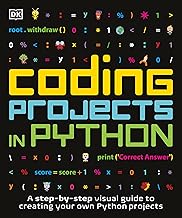
Coding Projects in Python (DK Help Your Kids)
Best For:
Children and early teens who enjoy creative, project-based learning and want a friendly introduction to Python coding.
Introduction hook
DK’s Coding Projects in Python is a visually appealing, project-driven book tailored to children and early teens learning Python. It emphasizes creative projects—games, graphics, and interactive programs—while breaking tasks into manageable steps so that young learners can follow along and customize results.
Main benefits
The book’s strengths are clear stepwise instructions, strong visual guidance, and a focus on creativity. Many projects are designed to be immediately rewarding—simple animations, mini-games, or interactive stories—so learners stay motivated. The format often includes screenshots, code snippets broken into digestible chunks, and modification ideas for extending projects once the basics are understood.
Real-life usage examples
A parent guiding a 10–13-year-old can use evening sessions to complete one project a week, allowing the child to personalize sprites, change mechanics, or add new features. A school coding club can split projects across sessions: students complete base versions together, then pursue individual enhancements. Teens interested in digital art can adapt code to produce generative patterns or interactive storytelling.
Why the product is valuable
Compared with general Python primers, this DK title leans heavily into fun and creativity, which helps retain younger learners who might otherwise lose interest with dry examples. The projects also offer natural stepping stones from block-based tools (like Scratch) toward text-based programming, easing the transition with familiar, game-like outcomes.
Who should buy it—and who might not need it
Buy this if you want a kid-friendly, project-oriented introduction to Python that emphasizes creativity and self-directed extension. If the learner seeks deep, language-agnostic computer science theory or advanced algorithms, they’ll need additional resources beyond this book.
Buying considerations
Confirm that the projects match the Python version you plan to use, and have a simple setup (or an online REPL) ready so learners can run code immediately. Consider pairing with a basic reference or cheat-sheet for syntax reminders.
Friendly conclusion + CTA
If your child responds to creative, game-like projects and you want a gentle transition into text-based coding, this DK project book is an engaging option. Check the latest price on Amazon.
Pros
- Fun, creative project focus
- Visual step-by-step instructions for young learners
- Good bridge from block-based tools to text coding
Cons
- Not a substitute for in-depth computer science theory
- Requires Python setup or online editor to run projects
Want creative Python projects for kids? Check the latest price on Amazon.
Final Verdict
Choosing the right beginner coding book depends on the learner’s age, preferred learning style, and goals. For screen-free logic and foundational reasoning, The Big Coding and Logic Workbook for Kids is a practical, low-distraction choice. If you prefer structured, visual lessons that build a conceptual foundation, DK’s Beginner’s Step-by-Step Coding Course offers clear pacing and classroom-friendly content. For learners who learn by doing and want to produce tangible projects, Python Programming for Young Coders and DK’s Coding Projects in Python both deliver motivating, hands-on experiences—the former leans toward broader project types and teens, the latter is especially kid-friendly and creative. Finally, Everything You Need to Ace Computer Science and Coding in One Big Fat Notebook is an excellent revision and reference tool for middle-school students who need concise study notes.
Pairing recommendation: combine one project-based book with a study guide or workbook for a balanced approach—unplugged logic to strengthen problem-solving plus hands-on projects to practice syntax and debugging. If you’re deciding for a child, consider attention span and whether they respond better to puzzles or to building games.
Ready to start learning? Choose the title that best matches your learner’s style and goals, and use a free online editor or a simple Python setup to practice alongside the pages. Check the latest price on Amazon.
Conclusion
These Best Educational Coding Books for Beginners picks are trending now and offer great value and variety. Check the links above for latest prices and reviews.
As an Amazon Associate, I earn from qualifying purchases.
Tags:
coding books, beginner programming, Python for kids, coding workbook, computer science basics, project-based coding, coding for teens
