Productivity Planning Tools Creators Use
As an Amazon Associate, I earn from qualifying purchases. This article may contain affiliate links, which means we may receive a commission at no extra cost to you.
Creative work and realistic planning often live in tension: big ideas need structure, and structure must leave room for unpredictability. This guide gathers five planners and planning systems creators rely on to turn intention into action—without becoming overwhelmed by endless to-dos. I’ll outline what makes each product different, who benefits most, and how these tools fit into practical routines used by freelancers, content creators, educators, and busy professionals.
Affiliate disclosure: As an Amazon Associate, I earn from qualifying purchases. This article may contain affiliate links, which means we may receive a commission at no extra cost to you.
Throughout the sections below you’ll find comparisons to standard alternatives (basic notebooks, generic daily pads, or bulky dated planners) and realistic use cases for how people actually integrate these tools into weekly and monthly cycles.
Buying Guide
How to choose a planner for realistic creative planning
Start with your planning horizon: do you prefer daily time blocking, weekly focus, or quarterly goal review? A planner designed for daily time blocking keeps you in the weeds of your calendar; weekly pads let you prioritize major focus areas without micromanaging every hour; quarterly planners force strategic reviews and habit tracking.
Paper quality and size matter. If you carry your planner between home and co-working spaces, A5 or spiral-bound options are easier to tote than hardcover quarterlies. If you frequently use colored pens, look for 100gsm paper to avoid bleed-through. Undated systems give flexible starts mid-year; dated planners offer built-in structure for people who prefer checklists and timelines.
Features to prioritize
– Sections for goals, habits, and time blocking: These keep long-term plans tethered to daily action.
– Weekly review prompts and monthly reflections: Useful for creators who iterate on projects across several weeks.
– Simple checklists and focused task areas: Reduces decision fatigue compared with blank notebooks.
When to pick a pad vs. a book
– Choose a desk pad if you want a lightweight, single-page-at-a-time planning surface for sprint weeks and inbox management.
– Choose a bound planner if you want archival history, goal tracking, and habit logs that you can review quarterly.
Special considerations for ADHD or neurodiverse users
Look for color-coded sections, short task clusters, and clearly separated time slots. Planners marketed for ADHD often include call/email/to-do buckets and visual cues that reduce overwhelm.
Budget and longevity
Paper planners are inexpensive per unit but vary in durability. If you plan to use the system daily for months, invest in a durable cover or spiral binding. If you’re testing a new method, try an undated planner or a weekly pad first.
Below are five specific products that reflect these different approaches—each includes realistic use cases, practical observations from user feedback, and pros and cons to help you decide.
The Advanced Productivity Planner – Undated Daily, Weekly & Monthly Planning System with Time Blocking, Goal Setting & Habit Tracking. Toolkit to Maximize Focus and Take Control of Your Time | A5

Best For:
Creators, freelancers, and remote workers who want structured daily time blocking plus weekly and monthly goal-setting in a portable A5 format.
If you need a structured daily system that still respects long-term priorities, this Advanced Productivity Planner offers a balanced, undated approach for creators who juggle deep work, client deadlines, and personal goals. It combines pages for daily time blocking, weekly overviews, and monthly goal-setting, which makes it a flexible tool for people who want both tactical and strategic planning in one A5 notebook.
What it is and who it’s for: This planner is designed for professionals and creators who want a single place to manage day-to-day schedules alongside measurable progress on bigger projects. Unlike bare notebooks or single-sheet desk pads, it includes habit trackers and goal templates that nudge you to review progress instead of just logging tasks. Creators who work in sprints—podcasters scheduling recording days, writers batching content, or freelancers carving out client hours—will find the integrated daily and weekly pages especially useful.
Practical benefits and problems it solves: The Advanced Productivity Planner helps reduce context switching by keeping time-blocked schedules next to priority lists and habit trackers. For people who struggle with task drift—moving from one loosely related task to another without finishing—this planner’s time-block layout encourages intentional focus and realistic scheduling. The undated format removes pressure to waste pages when your rhythm changes mid-month, a common frustration with dated planners.
Real-life usage examples: A content creator might use the monthly pages to set a publication cadence, the weekly spreads to break episodes into research/record/edit blocks, and the daily time-blocks to reserve two uninterrupted hours for recording. A remote worker could use weekly review prompts to reassign tasks that didn’t get done and to plan focus days (email-mornings, editing-afternoons). Parents balancing side projects will appreciate the habit tracker for building small routines—five minutes of creative warm-up or a nightly inbox zero ritual.
Compared to standard alternatives: Versus a simple notebook, this planner offers prompts and a consistent structure that encourage reflection. Versus a single-page desk pad, it provides an archival trail so you can review what actually worked over months. The trade-off is slightly more commitment: the A5 format and printed sections assume you’ll use the planner regularly to get value.
Buying considerations and practical observations: Users who prefer wide writing space may find A5 compact; if you like larger spreads, consider pairing this planner with a weekly desk pad. Paper quality in similar planners ranges from lightweight to 100gsm; check the listing if you use fountain pens. Many reviewers appreciate the combination of habit tracking with time blocking—especially creatives who need both structure and room to experiment.
Who should buy: Anyone who wants an all-in-one undated system for time blocking, goal setting, and habit tracking, especially creators who plan in sprints and want an archival log of progress.
Who may not need it: If you prefer minimalist lists, a single weekly pad, or already use a digital calendar exclusively, this structured paper system could feel like overkill.
Check the latest price on Amazon.
Pros
- Combined daily, weekly, and monthly layout keeps strategy and execution together
- Undated pages reduce wasted space and allow flexible start times
- Habit tracking encourages small routine changes alongside project work
Cons
- A5 size may feel small for those who like spacious layouts
- Requires regular use to justify the structured sections
Check the latest price on Amazon.
Weekly Productivity Planner – 8.5" x 11" Dashboard Desk Notepad Has 6 Focus Areas to List Tasks for Goals, Projects, Clients, Academic or Meal-Organize Your Daily Work Efficiently, 54 Weeks, Green

Best For:
Desk-based creators, managers, students, and parents who need a visible weekly dashboard to organize multiple focus areas quickly.
If you want a lightweight, single-sheet-at-a-time planning surface to keep your desk tidy and your week focused, this 8.5" x 11" weekly productivity desk pad is a straightforward, no-frills option. It trades archival depth for speed: each page covers a full week with six focus areas, so it’s ideal for creators managing multiple projects, clients, or household tasks who need a visual dashboard at arm’s reach.
What it is and who it’s for: This desk notepad is designed for people who prefer to plan one week at a time and wipe the slate clean each Monday. The six focus areas let you segment tasks by project, client, goal, or life domain (work, family, errands, meals, study, etc.). It’s particularly useful for people who want a tangible sense of weekly capacity without getting bogged down in daily micro-planning.
Practical benefits and problems it solves: The pad solves the common problem of scattered sticky notes and half-finished lists. With a dedicated space for each focus area, you can quickly triage priorities and assign the week’s limited deep-work blocks. For busy creators who juggle editorial calendars, client deliverables, and administrative tasks, the pad turns a cluttered desk into a single source of truth for the week.
Real-life usage examples: A social media manager can dedicate each focus area to a different client, using the right-hand side for quick wins and weekly metrics. A graduate student balancing classes and research could use sections for readings, experiments, meetings, and personal commitments. Parents planning meals and kid activities will find the ability to see the whole week at once helpful for coordinating drop-offs and dinner prep.
Compared to standard alternatives: Versus a bound weekly planner, the desk pad emphasizes immediacy and visibility—perfect if you want to glance at the whole week without flipping pages. Versus a digital calendar, it reduces screen switching and gives a physical prompt that can lower cognitive overhead. The downside is limited archival utility: once you tear off a page, it’s gone unless you photograph or file it.
Buying considerations and practical observations: Look at paper thickness if you use heavy ink or markers; many desk pads are optimized for ballpoint and gel pens. Also consider the number of weeks—this pad offers 54 weeks, which is useful if you want a year-long desk companion without frequent repurchase. Users often report improved weekly clarity and less mental clutter when they place the pad near their monitor.
Who should buy: People who like weekly overviews on their desk, or anyone who prefers single-page planning with clearly separated focus areas.
Who may not need it: If you need long-term tracking, habit logs, or archival continuity, a bound planner or digital system may serve you better.
Check the latest price on Amazon.
Pros
- Single-week, single-page design makes priorities instantly visible
- Six focus areas help segment work by project or life domain
- Large 8.5" x 11" size gives room for notes and quick edits
Cons
- Limited archival value once pages are torn off
- Paper thickness varies; heavy inks may ghost
Check the latest price on Amazon.
ADHD Cleaning Planner for Adults Women, Cleaning Schedule and Checklist Notebook, Cleaning and Organizing Planner, Daily Weekly Monthly Schedule Household Cleaning Checklist Planner

Best For:
Adults with ADHD, busy parents, and anyone who wants a low-friction, checklist-driven cleaning routine.
This ADHD Cleaning Planner is focused on a specific but common pain point: maintaining a tidy living and working environment when motivation fluctuates. It’s a niche tool that combines cleaning schedules, checklists, and short daily or weekly actions to make household organization manageable for adults who struggle with executive function—especially women who balance household tasks with work or creative side projects.
What it is and who it’s for: The planner is a focused notebook that breaks larger cleaning projects into small, achievable steps. Rather than presenting long, intimidating chore lists, it steers toward bite-sized tasks that can be completed in short bursts—perfect for people who find long jobs overwhelming. It’s intended for those who want an approachable, repeatable cleaning rhythm rather than a one-off deep clean.
Practical benefits and problems it solves: The main benefit is lowering the activation energy for routine cleaning. Many people with ADHD or inconsistent schedules avoid chores because they don’t know where to begin; this planner provides explicit prompts and recurring checklists so that tidying becomes a habit rather than a looming chore. The planner’s daily and weekly scheduling sections mean you can slot a 10–20 minute ‘clean sprint’ into your creative day without derailing more important work.
Real-life usage examples: A freelance illustrator juggling commissions can use the planner to carve out 15-minute post-work clean-ups so the studio space remains usable for the next day. A small household can distribute tasks—assigning bathroom cleaning to one person on Wednesdays and kitchen wipe-downs to Saturdays—using the visible checklist to reduce confusion. Creators renting a shared workspace can use it to keep common areas tidy and outline responsibilities clearly.
Compared to standard alternatives: Versus a generic household notebook, this planner offers structured checklists and repeatable schedules which are more helpful for people who need prompts. Versus a digital habit app, a paper planner provides a tactile satisfaction and visible proof of progress—often a stronger motivator for chore-related tasks.
Buying considerations and practical observations: Check the planner’s layout to ensure it aligns with your living situation—single-person households may prefer simpler weekly sections, while families may need space for shared tasks. Paper size and binding affect portability; a spiral or softcover is often easier to flip open during a cleaning sprint. Some users report that pairing the planner with a timer (Pomodoro or phone) helps convert checklists into manageable sessions.
Who should buy: Anyone who wants a chore-specific system to lower barriers to cleaning, particularly people with ADHD or inconsistent routines who benefit from short, repeatable tasks.
Who may not need it: If you already follow a robust digital household management system or employ cleaning help, this planner may duplicate existing workflows.
Check the latest price on Amazon.
Pros
- Breaks cleaning into bite-sized, repeatable tasks
- Clear daily/weekly schedule reduces decision fatigue
- Tactile checklists provide visible progress
Cons
- Narrow focus—only addresses cleaning and organizing
- Not ideal if you prefer a centralized planner for all life domains
Check the latest price on Amazon.
ADHD Planner for Focus & Productivity: Task Management Hub with Color-Coded Sections for Calls, Emails, To-Dos, Appointments & More. Reduce Overwhelm. A5, Durable Cover, 100gsm Paper, Spiral Bound

Best For:
Neurodiverse users, busy creators, and professionals who want color-coded task buckets and durable, pen-friendly paper.
This ADHD Planner presents a purpose-built, paper-first approach to organizing scattered tasks. With color-coded sections for calls, emails, to-dos, and appointments, plus a durable cover and heavier 100gsm paper, it aims to be a tactile task management hub for anyone who benefits from visual separation and clear boundaries between different types of work.
What it is and who it’s for: It’s designed for neurodiverse users, busy professionals, and creators who struggle with overwhelm and task leakage (starting one task, getting sidetracked, and never returning). The planner’s A5 size keeps it portable, while the spiral binding allows it to lay flat for quick entries during a call or between tasks. The color-coded sections reduce friction: you can jump straight to the email bucket or the calls list without scanning a dense page of notes.
Practical benefits and problems it solves: The planner helps reduce cognitive load by giving each task type its own visual space. For creators who get stalled by triage—deciding whether to answer an email, make a call, or start a draft—this layout makes the decision explicit and gives you a place to park non-urgent items. The 100gsm paper supports heavier pens and brush markers, which many users prefer for color-coding and emphasis.
Real-life usage examples: A small-business owner can use the planner to separate client calls, follow-up emails, and production tasks. During a sprint, the calls section becomes a quick reference for scheduled check-ins while the to-dos space collects small action items you can clear in between larger creative sessions. A teacher or coach can keep appointment lists and student notes separate from long-form planning, avoiding the common mess of mixed notes.
Compared to standard alternatives: Compared with a blank notebook, the planner’s color-coded design lowers setup time and reduces the constant reformatting many people do on plain pages. Compared to a digital task manager, it offers immediacy and a low-friction place to capture actions without app switching—helpful when you want fewer notifications. The main trade-off is portability vs. screen sync: if you rely on multiple devices, you’ll need to copy key items into your calendar or task app.
Buying considerations and practical observations: The durable cover and 100gsm paper are practical touches for people who write a lot. Spiral binding is convenient, but if you pocket the planner in a bag it can catch—consider a cover or sleeve. Reviewers often mention that the separated buckets are calming; however, some users want more customizable sections.
Who should buy: People with ADHD or anyone who benefits from visual task separation and heavier paper for pen-based planning.
Who may not need it: If you already use a highly integrated digital task system with notifications and shared calendars, a paper-first planner may add duplication.
Check the latest price on Amazon.
Pros
- Color-coded sections reduce search time and cognitive load
- 100gsm paper handles heavier pens and markers
- Spiral binding lays flat for easy writing
Cons
- Adds a paper layer to workflows that may already be digitized
- Spiral binding can catch in bags without a protective sleeve
Check the latest price on Amazon.
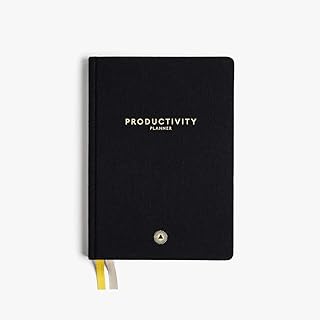
Intelligent Change 3-Month Productivity Planner 2025, Productivity Tools for Time Management & Mindfulness, Daily Planner To Do List, A5 Undated Quarterly Planner (Black)
Best For:
Creators, freelancers, and entrepreneurs who prefer quarterly cycles and daily mindfulness prompts to balance productivity and well-being.
The Intelligent Change 3-Month Productivity Planner is a popular quarterly system that combines time management with mindfulness prompts and a daily to-do list. It’s built for people who want to focus on short, intentional quarters rather than an entire year—ideal for creators who plan in content seasons, entrepreneurs running product sprints, or anyone who prefers concentrated cycles of experimentation.
What it is and who it’s for: This A5 undated quarterly planner includes daily pages that prompt focus on priority tasks, gratitude, and short reflections. The three-month structure encourages cyclical planning: set a quarterly theme, measure progress weekly, and use the daily prompts to maintain momentum. It’s targeted at people who like consistent rituals—morning planning, evening reflection—and want a small, attractive planner they can carry to meetings or photo shoots.
Practical benefits and problems it solves: The strength of a quarterly planner is preventing burnout through shorter planning horizons. Creators often feel pressure to maintain momentum for an entire year; the three-month format helps contain ambitious goals into testable blocks. The built-in mindfulness and reflection prompts also help creative professionals avoid single-minded focus on output to the detriment of process and well-being.
Real-life usage examples: A YouTuber could use it to plan a three-month content cycle—theme, filming schedule, promotional windows—then pause to review performance and pivot. A freelance designer might use each quarter to focus on client acquisition, then switch to portfolio work the next quarter. The gratitude and reflection prompts are useful for maintaining perspective during heavy production phases.
Compared to standard alternatives: Versus a generic dated planner, the Intelligent Change planner gives structured daily prompts around focus and mindfulness, not just scheduling. Versus undated weekly pads, it offers consistent rituals and a portable archive you can review at the end of each quarter. The trade-off is cost per quarter: if you want year-round continuity without buying multiple copies, look for yearly bound planners.
Buying considerations and practical observations: The brand’s layout is known for readability and an approachable tone. Paper quality is typically good for everyday pens, but check specs if you use heavy markers. Many users report improved focus by committing to three-month experiments rather than open-ended resolutions.
Who should buy: Creators and professionals who plan in tactical quarters, value daily rituals, and want a portable planner with mindfulness prompts.
Who may not need it: If you prefer long-range, year-long planning or only need a simple weekly dashboard, a different format might be more cost-effective.
Check the latest price on Amazon.
Pros
- Quarterly structure encourages focused, testable goals
- Daily prompts combine task planning with mindfulness
- A5 size is portable and easy to carry
Cons
- Requires buying multiple copies for year-round continuity
- May feel prescriptive for highly flexible creative workflows
Check the latest price on Amazon.
Final Verdict
Choosing the right planner comes down to your rhythm: do you need a daily, time-blocked system that keeps strategy close (consider the Advanced Productivity Planner), or a visible weekly dashboard on your desk (choose the Weekly Productivity Pad)? If household upkeep is a recurring source of stress, the ADHD Cleaning Planner simplifies chores into achievable steps. For people who benefit from visual task buckets and pen-friendly paper, the ADHD Planner with color-coded sections is an excellent task hub. If you prefer running experiments in three-month cycles and want daily rituals, the Intelligent Change quarterly planner offers a balanced mix of focus and reflection.
Across these options, think about portability, paper quality, and whether you want archival notes or single-page sprints. Combine tools if needed: a quarterly planner for strategy, an A5 daily for time blocking, and a desk pad for weekly execution can create a layered system that mirrors realistic creative workflows. Whichever tool you pick, the goal is the same: reduce friction, limit decision fatigue, and make progress a series of small, visible wins.
Check the latest price on Amazon.
Conclusion
These Productivity tools creators use during realistic planning routines picks are trending now and offer great value and variety. Check the links above for latest prices and reviews.
As an Amazon Associate, I earn from qualifying purchases.
Tags:
productivity planner, time blocking, ADHD planner, weekly planner, quarterly planner, desk pad, goal setting
