Best USB-C Cables for Fast Charging & High-Speed Data
As an Amazon Associate, I earn from qualifying purchases. This article may contain affiliate links, which means we may receive a commission at no extra cost to you.
If you’ve upgraded to a power-hungry laptop, the latest phone, or a portable 4K display, the humble USB‑C cable suddenly matters. It’s the bridge between your devices and the speeds and power they promise. This guide walks through five USB‑C cables that cover the major use cases: extreme PD3.1 240W charging, high‑bandwidth USB4/USB 3.2 Gen 2×2 data lanes, video output for external monitors, and reliable everyday charging.
I’ve compiled this list from product specifications, manufacturer claims, and aggregated customer feedback to help you pick a cable that matches your devices and workflow. Whether you need a rugged everyday cord for commuting, a braided long‑reach cable for the couch, or a certified USB4/Thunderbolt‑class cable for dual 8K displays and heavy duty charging, there’s a clear pick below. The affiliate disclosure above is included per policy.
Buying Guide
Key factors to weigh when buying a USB‑C cable
1) Power Delivery (Wattage): If you’re charging high‑end laptops or future M‑series Macs, look for PD3.1 support and wattage ratings up to 240W. Lower‑wattage cables (e.g., 60W) are fine for phones and tablets but will charge larger laptops slowly or not at full speed.
2) Data Bandwidth: Data transfer is expressed in Gbps. USB 2.0 is 480 Mbps, USB 3.2 Gen 1 is 5 Gbps, Gen 2 is 10 Gbps, Gen 2×2 is 20 Gbps, and USB4/Thunderbolt‑class can range from 40–80+ Gbps depending on specs. Choose a cable that matches your external drives and video needs.
3) Video Support: Not all USB‑C cables carry DisplayPort alt mode. If you need to drive a 4K/60Hz or 8K monitor, verify the cable advertises DP Alt Mode and the video resolution it supports.
4) Length and Build: Longer cables mean more voltage drop; a 6.6ft cable capable of 240W is impressive but check the manufacturer’s specifications. Braided jackets and reinforced connectors improve longevity for frequent plugging.
5) Certification and Compatibility: USB‑IF or Thunderbolt/USB4 certification reduces risk of miscommunication between devices. For delicate workflows—audio/video editing or docking—choose certified cables.
6) Real‑world considerations: Read multiple recent customer reviews for insights about heat under load, connector wobble, and whether the cable sustains advertised speeds with your devices. Some manufacturers advertise top speeds that require host and peripheral support.
Who should spend more? Professionals who need high bandwidth (external SSDs, 4K/8K monitors) and power users with 100–240W laptops. Who can stick with cheaper options? Casual phone charging and occasional file transfers: a well‑made 60W/10Gbps cable is usually enough.
Use this guide to match the cable specs to your devices and use cases before buying.
Silkland USB-IF Certified 80Gbps USB 4 for Thunderbolt 5 Cable 5FT, 120Gbps for Dual 8K, 240W PD3.1 Charging, Braided USB C Video Cable Compatible for Thunderbolt 4, MacBook, iPhone 17/16, Mac mini

Best For:
Power users and professionals who need high‑wattage PD charging and multi‑display/high‑bandwidth connectivity in a single certified cable.
Why this cable matters: if you’re building a compact creative workstation or need a single cable to handle high‑wattage charging, multi‑display video and rapid file transfers, this Silkland model aims to be a do‑it‑all solution. Based on the published specifications and seller listing, it’s positioned as USB‑IF certified (an important trust signal) and claims high bandwidth for demanding setups.
Main benefits: The cable’s headline features are support for PD3.1 up to 240W, advertised USB4/Thunderbolt‑class bandwidth, and braided reinforcement for durability. The 5‑foot length keeps a tidy desk without creating cable clutter and is long enough for most laptop docking and monitor connections. Its compatibility claims include modern Macs, iPhones that rely on USB‑C, Windows laptops, and mini‑PCs—making it a versatile choice when you’re juggling mixed devices.
Real‑life usage examples: Imagine a MacBook connected to a dock that feeds two 4K/60 displays and a fast NVMe enclosure. If your laptop and dock both support the same high‑speed standard, this cable should carry both video and data while simultaneously supplying full PD3.1 power. Another typical scenario is using the cable with a high‑wattage GaN charger to rapidly top up a large laptop battery between meetings without needing multiple adapters.
Why it’s valuable: The USB‑IF certification reduces the chance of handshake problems common with cheaper, vague cables. The braided jacket and reinforced connectors address common failure points—fraying and connector chop—reported in lower‑cost cords. It consolidates charging, data and video into one tidy cable, which is increasingly useful as manufacturers push toward single‑port workflows.
Considerations before buying: Don’t assume every device will reach the top advertised speeds—both host and peripheral must support the same protocols. Also note that real sustained throughput can be affected by heat and the cable’s operating environment. While the listing mentions very high bandwidth numbers, you should confirm with your laptop/dock documentation that those rates are supported.
Who should buy this: Creatives and power users who want a single, certified cable for docking, external displays and maximum laptop charging. Who may not need it: casual phone users or anyone who only needs charging and occasional file transfers—lower‑rated cables are cheaper and usually sufficient.
Check the latest price on Amazon.
Pros
- USB‑IF certification for compatibility and safety
- High PD3.1 support up to 240W for large laptops
- Braided, reinforced build for better durability
Cons
- Top bandwidth claims require compatible host and peripheral devices
- Premium cable may be overkill for basic phone charging
Check the latest price on Amazon.
Silkland 2 in 1 USB A to USB C Data Cable 10Gbps, USB C to USB C 3.2 GEN 2×2 20Gbps Data Transfer, 15W/240W Fast Charging, USBC Monitor Video Cable for iPhone 17/16, Samsung S24/23, Macbook/iPad 3.3FT

Best For:
Hybrid users with a mix of USB‑A and USB‑C chargers who want a compact, fast cable for travel and everyday switching between devices.
Why this cable is interesting: this Silkland 2‑in‑1 solution caters to mixed‑ecosystem users who still have a USB‑A wall charger or a USB‑C PD brick. The listing emphasizes a flexible combination of USB‑A to USB‑C and USB‑C to USB‑C capabilities with data speeds up to 20Gbps on the C‑to‑C side and 10Gbps on the A‑to‑C branch—useful when you want a single cable set for office and legacy chargers.
Main benefits: For commuters and hybrid workers, the 3.3‑foot length is compact while offering Gen 2×2 performance for quick file transfers to modern docks or SSDs. When paired with a PD3.1 capable charger, the USB‑C leg claims to support very high wattage (up to 240W on the C‑to‑C path), which makes it future‑ready for larger laptops. The ability to charge recent phones, tablets and laptops and provide monitor output on supported devices reduces the number of separate cables you need to carry.
Real‑life usage examples: Carry it in a laptop sleeve to connect your phone to a tablet for fast backup, or use the C‑to‑C end with a USB‑C hub at the office to drive a portable 4K monitor and power your MacBook. If you frequently switch between an older charger at home (USB‑A) and a new PD brick in the office, the dual compatibility helps keep workflows consistent.
Why it’s valuable: It’s a practical bridge cable that helps users transition from older chargers to modern PD infrastructure without sacrificing data speed. The Gen 2×2 20Gbps capability is a step up from typical 10Gbps cables, so transfers to fast external SSDs will feel noticeably quicker.
Considerations before buying: The A‑to‑C branch will not support the highest PD speeds—only the C‑to‑C connection does. Also, the cable’s real performance depends on the charger and device capabilities; an older USB‑A port won’t suddenly deliver modern transfer rates.
Who should buy this: Users who need flexible compatibility between legacy USB‑A ports and modern USB‑C PD devices, plus faster C‑to‑C transfer for external drives. Who may not need it: people who exclusively use PD‑capable USB‑C chargers and docks and want a single dedicated C‑to‑C cable.
Check the latest price on Amazon.
Pros
- Two‑in‑one design works with legacy and modern chargers
- 20Gbps Gen 2×2 speeds for fast transfers
- Good short length for portable use
Cons
- USB‑A branch can’t deliver the highest PD charging rates
- Short length may be limiting for some desk setups
Check the latest price on Amazon.
INIU USB C to USB C Cable, 240W Fast Charging Type C Charger Cord, Braided USBC Phone Charger Cable for iPhone 17 16 Pro Max Samsung S26 S25 Laptops MacBook Air 15 M3 iPad Switch [6.6ft+6.6ft Black]
![INIU USB C to USB C Cable, 240W Fast Charging Type C Charger Cord, Braided USBC Phone Charger Cable for iPhone 17 16 Pro Max Samsung S26 S25 Laptops MacBook Air 15 M3 iPad Switch [6.6ft+6.6ft Black]](https://m.media-amazon.com/images/I/814lZbU+YYL._AC_UY218_.jpg)
Best For:
Users who need long, robust cables for flexible charging positions and want the ability to support high‑wattage laptop charging without moving the charger.
Why this cable stands out: INIU’s offering markets itself on long reach and high power. The pair of 6.6‑foot braided cables included in the listing make them a compelling choice for anyone who hates being tethered close to the outlet. With PD3.1 support up to 240W (as listed), they aim to combine the convenience of a long cable with laptop‑class charging capability.
Main benefits: Two long, braided cables in the box are useful for homeowners and remote workers who want a cable at the desk and another at the bedside. The 6.6‑foot length gives flexibility in living rooms and shared workspaces where outlets aren’t conveniently placed. The braided exterior resists tangles and everyday abrasion better than thin rubberized cords, and they typically feel more robust when unplugging frequently.
Real‑life usage examples: Use one cable to charge a MacBook Air or M‑series laptop from a GaN brick across the room while working on the couch. Use the other for a gaming console or tablet on a coffee table without needing to move the charger. For digital content creators who need longer cable runs from chargers to tripods or lights, the length reduces the need for extension solutions.
Why it’s valuable: Many high‑wattage cables are short because of voltage drop concerns at length; offering a 6.6‑foot cable that claims 240W support addresses a real user need for freedom of movement. Duplex packaging (two cables) provides immediate redundancy—handy if one cable becomes worn.
Considerations before buying: Long cables are more liable to experience voltage drop and heat under sustained high load—manufacturers sometimes rate cables optimistically. Confirm that your charger and device negotiate PD3.1 correctly. For most phones, the full 240W is unnecessary; these cables are primarily useful if you own high‑power laptops.
Who should buy this: People who need long, durable cables that can also handle laptop charging—remote workers, gamers, and creators who value reach. Who may not need it: commuters or minimalist users who prefer shorter cables or only charge phones.
Check the latest price on Amazon.
Pros
- Generous 6.6ft length for freedom of placement
- Braided design improves durability and resists tangles
- Sold as a two‑pack for redundancy or multiple locations
Cons
- Long cable length can reduce efficiency under very high loads
- Full 240W performance depends on host and charger compatibility
Check the latest price on Amazon.
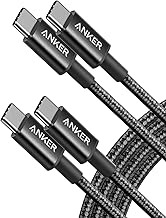
Anker USB C to USB C Cable, Type-C 60W Fast Charging Cable (6 FT, 2Pack) for iPhone 17 Series, iPad mini 6 and More (Black)
Best For:
Everyday users and students who need a reliable, mid‑range cable for phones, tablets and light laptops without breaking the bank.
Why many buyers choose Anker: Anker has built a reputation for reliable, well‑engineered cables at reasonable prices. This 6‑foot, 2‑pack Type‑C cable is aimed at everyday users who want a reliable cable for phones, tablets and light‑duty laptops that accept 60W charging.
Main benefits: The 60W power rating is adequate for phones, tablets and many ultrabooks for routine use. The 6‑foot length gives more flexibility than short cables while the two‑pack helps outfit a home office and a travel kit without extra purchases. Anker’s build quality typically means snug connectors that resist wobble and a durable jacket that survives frequent uncoiling.
Real‑life usage examples: Keep one cable in your backpack to charge an iPad mini during travel and the other at your bedside for overnight phone charging. It’s a practical choice for students and office workers who alternate between charging a laptop briefly or topping up a phone during the day.
Why it’s valuable: You don’t always need the highest PD numbers—most day‑to‑day scenarios benefit more from a dependable cable that won’t fray after months of use. Anker’s customer service and reputation for consistency make this an appealing mid‑range pick.
Considerations before buying: If you own a high‑power workstation or need multi‑lane 20Gbps+ transfers, this 60W cable won’t suffice. Also, it’s not presented as USB4 or Thunderbolt class, so video throughput and extremely fast SSD transfers are not the target use case.
Who should buy this: Students, commuters, and general users who want a dependable everyday cable for phones, tablets and smaller laptops. Who may not need it: professionals requiring 100–240W charging or high‑bandwidth external drives.
Check the latest price on Amazon.
Pros
- Reliable Anker build and connector fit
- Two‑pack for home and travel convenience
- 6ft length balances reach and portability
Cons
- 60W limit is too low for high‑power laptops
- Not designed for Thunderbolt/USB4 video or maximum bandwidth transfers
Check the latest price on Amazon.
ZeroneTeck USB C Cable 3ft, USB C 3.2 Gen 2X2 Cable, 4K Monitor Video Output, 20Gbps High Speed Data Transfer, 100W Fast Charging for Carplay iPhone 16, MacBook, Dell, ARZOPA, KYY for Portable Monitor

Best For:
Users who need a compact, high‑speed cable for 4K video, external SSD transfers and up to 100W laptop charging.
Why this cable finds a niche: ZeroneTeck’s 3ft cable focuses on a balanced mix of video output, 20Gbps transfer speeds and 100W charging—ideal for users who want a compact solution for portable monitors and fast external SSDs.
Main benefits: The cable is short enough to keep your desk tidy while supporting 4K monitor output (on compatible hosts) and Gen 2×2 20Gbps transfers, which are noticeably faster than typical 10Gbps options. The 100W power rating covers most ultrabooks, gaming laptops and USB‑C PD devices, making this a good companion to docks and portable displays.
Real‑life usage examples: Pair it with a portable USB‑C monitor while traveling to extend your laptop screen for presentations or editing. Use it to connect a fast external NVMe enclosure for transferring large photo or video projects. The compact length helps reduce cable clutter when you’re using a dock or a nearby monitor.
Why it’s valuable: It balances performance and practicality—good for creators and road warriors who want to carry a cable that handles video and high‑speed storage without the cost premium of fully certified USB4/Thunderbolt cables. The 100W PD support also ensures most laptops will charge at near‑full speed.
Considerations before buying: This cable’s 20Gbps rating is great for many tasks but not equivalent to a 40–80Gbps USB4/Thunderbolt cable needed for multi‑8K or dual high‑refresh displays. If your workflow involves the highest bandwidth docks and displays, consider a Thunderbolt‑class cable instead.
Who should buy this: Photographers, videographers and remote presenters who use portable monitors and fast external drives, and who want a tidy 3ft cable. Who may not need it: users seeking the absolute top end of bandwidth for dual 8K workflows.
Check the latest price on Amazon.
Pros
- 20Gbps Gen 2×2 data speeds for fast file transfers
- Supports 4K video output on compatible devices
- 100W power to charge most laptops
Cons
- Short 3ft length may be limiting for some setups
- Not a substitute for 40–80Gbps USB4/Thunderbolt in multi‑display rigs
Check the latest price on Amazon.
Final Verdict
Choosing the right USB‑C cable means matching specs to real needs. If you need the broadest capabilities—video, heavy data throughput and the highest PD—you’ll want a certified USB4/Thunderbolt‑class cable like the Silkland USB‑IF model in this list. If you juggle legacy chargers and modern ports, the Silkland 2‑in‑1 cable bridges the gap. For long reach and convenience, INIU’s 6.6ft two‑pack is practical for home and living room use. For reliable everyday charging without premium bandwidth demands, Anker’s 60W two‑pack hits the sweet spot. If your primary need is compact, high‑speed 4K video and 20Gbps transfers, ZeroneTeck offers a tidy, capable option.
Match power and bandwidth to your devices, and remember certification and customer feedback help avoid compatibility headaches. If you’re uncertain, pick the cable that covers the highest PD and bandwidth your devices support—overspecifying slightly tends to be more future‑proof than underbuying.
Check the latest price on Amazon.
Conclusion
These USB C cable for fast charging and data transfer picks are trending now and offer great value and variety. Check the links above for latest prices and reviews.
As an Amazon Associate, I earn from qualifying purchases.
Tags:
USB-C cable, fast charging cable, USB4 cable, 240W PD cable, 20Gbps USB-C, USB-C video cable, Anker USB-C
