Best Desk Accessories for Focused Planning Sessions
As an Amazon Associate, I earn from qualifying purchases. This article may contain affiliate links, which means we may receive a commission at no extra cost to you.
Focused planning sessions need the right tools: low-friction surfaces, clear structure, and a few small accessories that help ideas flow without distraction. Below you’ll find five desk essentials—note pads, undated planners, time-block daily pads, a desktop glass whiteboard, and a multi-area weekly dashboard—that are commonly used by people who plan deeply, whether for work sprints, study sessions, or weekend project planning. As an Amazon Associate, I earn from qualifying purchases. This article may contain affiliate links, which means we may receive a commission at no extra cost to you. I researched product specs, user feedback, and common use cases to present a practical buyer-focused guide rather than a hands-on test.
Buying Guide
What to look for when choosing desk accessories for focused planning sessions: size and layout: A4 (8.3 x 11.7") pads balance writing room and desk footprint. Dot-grid, ruled, or grid layouts each support different workflows—dot grids are flexible for sketches, ruled for linear notes, and grids for charts and tables. Paper weight and backing: thicker paper (80–120 gsm) prevents bleed-through from pens; a firm cardboard backing gives stable surface when you’re away from a table. Undated vs dated: undated pads and monthly planners give flexibility for intermittent planning, while dated planners force daily commitment. Time-block formats: pads with hourly columns or preprinted blocks help implement Pomodoro and time-blocking strategies, which are particularly useful for ADHD or anyone who benefits from visual schedules. Reusability and erasability: a desktop glass whiteboard adds an erasable surface for quick calculations, mind maps, or temporary checklists—it’s faster to iterate than rewriting on paper. Organization features: dashboard layouts with focus areas, priority flags, and checkboxes turn a chaotic to-do list into a prioritized plan. Portability vs permanence: spiral desk pads sit on the desk as permanent references; removable tear-off pads let you archive weekly plans. Materials and extras: look for spill-resistant surfaces, a calculator or drawer if you want an all-in-one desktop pad, and eco-friendly or recycled paper if sustainability matters. Who shouldn’t buy certain items: if you do all planning digitally, paper-based pads may be redundant; conversely, if you need archival digital copies, pick accessories compatible with quick scanning. Finally, compare basic notebook alternatives—cheap spiral notebooks and sticky notes—to these purpose-built pads: the latter offer thoughtful layouts and stability that standard notebooks don’t, making planning sessions more efficient and intentional.
CLEVER SIGNS A4 Dot Grid Notepad (8,3" x 11,7")- Large Dotted Memo Desk Pads-Premium Paper with Cardboard Back Support – Ideal for Note-taking, Planning, Sketching, and Journaling

Best For:
Designers, visual thinkers, students, and planners who need a flexible dot-grid surface for both sketches and structured notes.
If your planning sessions combine structured lists with freehand sketching, the CLEVER SIGNS A4 Dot Grid Notepad is a versatile, low-friction surface to keep on your desk. The A4-sized sheets (roughly 8.3 x 11.7") provide a comfortable writing area that’s still compact enough for most desks. The dot-grid layout is subtle but intentional: it helps you align columns and drawings without the visual dominance of a full grid or the restrictions of lined paper. The notepad’s premium paper reduces ink bleed and feathering, making it suitable for a wide range of pens—from gel and rollerball to fineliners and light brush markers. A sturdy cardboard backing lets you write without needing a hard table beneath, which is handy if you like to plan from the couch or during standing sessions.
What problems this solves: the dot grid reduces decision fatigue when switching between lists, sketches, and mind maps. Instead of toggling between different notebooks for ideas and to-dos, a single pad handles both. The removable tear-off sheets make it easy to archive or scan accomplished plans while keeping the current sheet uncluttered. Compared with cheap spiral notebooks, the premium paper and backing give a noticeably cleaner writing experience and a more professional result if you share pages with colleagues.
Real-life scenarios: use the pad for morning planning—a quick 10-minute mind dump with columns for priorities, quick sketches for layout or journey mapping, and a small habit tracker in the corner. Designers will appreciate the dot guides for wireframes; students can use it for problem work and annotations; project managers can draft meeting agendas and action items quickly. If you travel for work, toss a pad in your bag for hotel brainstorms rather than relying on random sticky notes.
Buying considerations: check the paper weight if you often use markers, and note the tear-off method to ensure it fits your preference for clean edges or perforation. This pad is a simple, cost-effective upgrade from generic notebooks if you want cleaner handwriting, sketch-friendly pages, and a stable backing for on-the-go planning.
Who should buy it: people who combine visual work with structured note-taking—designers, planners, students, and anyone who values a tidy, flexible surface. Who may not need it: those who manage everything in a digital app or only need dated calendar planners. Check the latest price on Amazon.
Pros
- Versatile dot-grid layout for sketches and lists
- Premium paper reduces ink bleed
- Cardboard backing for stable writing anywhere
Cons
- Not ideal for people who want built-in dated calendars
- May be unnecessary for exclusively digital planners
Check the latest price on Amazon.
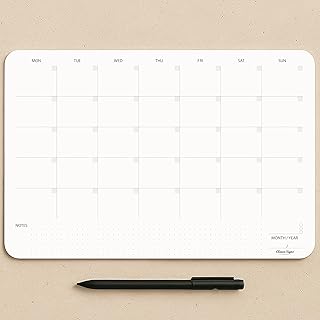
Undated Monthly Planner Notepad,Desk Calendar for Organizing&Scheduling Tasks-Productivity Tracker,Goals,Notes&To-Do Lists–A4 Size (8,3"X11,7")Premium Thick Paper with Cardboard Back Support 50 Sheets
Best For:
Project managers, freelancers, creatives, and anyone needing a flexible month-at-a-glance layout without preprinted dates.
An undated monthly planner pad is a powerful tool if you value flexibility but still want the bird’s-eye view that makes planning sessions productive. This A4 undated monthly planner provides 50 tear-off sheets on premium thick paper, with a cardboard backing that keeps your desk tidy as you fill in dates, milestones, and deadlines. Because it’s undated, you can use pages only when you need them—great for project-based work, seasonal planning, or sporadic bursts of focus without being locked into a calendar year.
Problems it addresses: many people lose momentum with pre-dated planners when they fall behind or skip weeks. An undated option removes that pressure while still delivering the monthly layout needed to visualize timelines and dependencies. Product managers can lay out sprint milestones; creatives can mark content schedules; households can plan shared family commitments. The premium paper minimizes bleed-through for frequent pen use, and the A4 size balances visibility with desk space.
Practical use cases: map out a month-long campaign by sketching high-level tasks in weekly blocks, then flip to daily pads for execution. Students can block study topics around exam weeks and tear off completed months for archiving. Freelancers juggling several clients will find the undated pages helpful for creating custom billing cycles or project timelines without wasted dated pages.
How it compares: unlike rigid, dated desk calendars, this undated pad is forgiving and reusable year after year. Compared to cheap planners, the thicker paper and thoughtful layout make it easier to present or share planning pages without messy corrections. If you need hourly granularity, pair this with a daily hourly pad; if you want interactive, erasable tracking, pair it with a small whiteboard for quick changes.
Who should buy it: project planners, freelancers, creatives, and anyone who prefers a flexible monthly overview without the constraints of pre-printed dates. Who may not need it: users who require a day-by-day, time-blocked planner built into the same pad. Check the latest price on Amazon.
Pros
- Undated format avoids wasted pages
- Premium thick paper suitable for frequent use
- A4 size offers clear monthly visibility without taking too much desk space
Cons
- Less useful for people who need daily hourly structure
- May require pairing with other pads for detailed tracking
Check the latest price on Amazon.
Daily Planner Notepad with Hourly Schedule – ADHD Planner, Time Block Planning Pad, Desktop To Do List, College Supplies – 6 x 9” – 50 Undated Sheets

Best For:
Students, professionals, and people who use time-blocking or need a compact daily execution tool.
Time-blocking is a cornerstone of focused work, and this Daily Planner Notepad with an hourly schedule is designed to make structured days easier to follow. The 6 x 9” format is compact enough to sit next to a laptop or in a messenger bag, yet it still provides a full-day layout with hourly blocks, to-do lists, priorities, and sections for notes. The pad contains 50 undated sheets, which means you can use it on the days you plan to be intentional without forcing a daily ritual.
Problems solved: people who struggle with scattered attention or inconsistent routines benefit from the visual discipline of hourly blocks. For students managing lectures and study sessions, professionals scheduling focused working blocks, and people with ADHD who rely on clearly defined time chunks, this pad reduces the friction of creating a daily plan. It’s a lot easier to start working when you have the day mapped out into manageable blocks.
Real-life usage: use the pad for a morning review—fill in priorities, schedule deep work between 9–11 a.m., and assign administrative tasks to lower-energy periods. A freelance writer might map research, drafting, and editing blocks; a college student could mark classes and study slots; a parent working from home can schedule focused work during nap times or after school activities. Because it’s undated, you can keep a few pads on hand for busy weeks and skip quieter ones.
Comparisons and buying notes: unlike large desk pads designed for monthly overviews, this pad focuses on single-day execution. It’s more action-oriented than a generic notebook and more portable than many desk-bound planners. Paper weight is usually adequate for pen and pencil; if you prefer fountain pens or markers, check for thicker paper variants. The compact size may be limiting if you love large handwriting or extensive note-taking, but most users appreciate the convenience.
Who should buy it: people who need time-blocking structure—students, professionals, and those managing attention challenges. Who may not need it: people who use purely digital calendar systems or require multi-week planning on a single page. Check the latest price on Amazon.
Pros
- Hourly schedule encourages disciplined time-blocking
- Compact and portable 6 x 9" size
- Undated format for flexible use
Cons
- Smaller writing space may feel cramped for extensive notes
- Paper thickness may not suit heavy markers or fountain pens
Check the latest price on Amazon.
SELEAD Desktop Glass Whiteboard with Calculator & Built-in Mirror, Dry Erase White Board Computer Pad Keyboard Stand with Organizer Drawer, Desk Accessories for Home, School, Office

Best For:
Teams, visual thinkers, and iterative planners who need an erasable, durable surface with extra organizer features.
A desktop glass whiteboard changes how you iterate during planning sessions: it’s erasable, visually clean, and often faster for sketching multiple versions of a plan than repeatedly using paper. The SELEAD Desktop Glass Whiteboard adds practical extras—a built-in calculator and a small organizer drawer—turning a simple dry-erase surface into a compact, multifunctional desk pad. The tempered glass surface erases cleanly without the ghosting common to cheaper whiteboards, and the low-profile keyboard stand design keeps the surface integrated with your workspace.
Problems it addresses: when planning requires rapid iteration—wireframes, quick math for budgets, or shifting priorities—a glass whiteboard is faster and less wasteful than tearing through paper. The built-in calculator is handy for quick budgets or conversions without opening a software calculator; the organizer drawer keeps pens, markers, and small sticky notes close at hand. Unlike paper, the glass surface gives a consistent erasable canvas that won’t crinkle or fill your trash with half-used sheets.
Use-case scenarios: during a sprint planning meeting, sketch out task flows and erase as priorities shift. Use it for daily standups to list top three tasks and erase after the meeting. Students can do practice math problems or draft essay outlines and iterate quickly. Remote workers can keep a temporary to-do list on the board while keeping longer-term plans in a paper planner or digital app.
Comparisons and buying notes: compared with portable whiteboards or cheap melamine boards, a tempered glass pad feels more premium and resists staining. It’s not a replacement for archived notes—if you need records, photograph pages with your phone or pair the whiteboard use with a paper pad for retainable items. Consider desk space: a glass board takes more room than a slim pad, and if you prefer full privacy, a mirror feature may be unnecessary.
Who should buy it: visual planners, product teams, students, and anyone who iterates ideas frequently and values an erasable, premium surface. Who may not need it: those who strictly require paper archives or who have very limited desk space. Check the latest price on Amazon.
Pros
- Premium tempered glass erases cleanly without ghosting
- Built-in calculator and organizer drawer for convenience
- Durable and integrates with keyboard stand setups
Cons
- Takes more desk space than a flat pad
- Not ideal for those who need paper archives of every session
Check the latest price on Amazon.
ZERONE CENTRE Productivity Weekly Planner – 54 Sheets Dashboard Spiral Deskpad Has 6 Focus Areas to List Tasks for Goals, Projects, Clients, Academic, or Shopping-Organize Your Daily Work Efficiently

Best For:
People juggling multiple projects or roles who benefit from a categorical weekly overview.
When you want a structured weekly dashboard rather than loose daily pages, the ZERONE CENTRE Productivity Weekly Planner offers a purpose-built layout to keep multiple focus areas visible at once. The spiral deskpad format lies flat on your desk and presents a single-week view with six distinct focus areas—ideal for separating goals, projects, clients, academic tasks, shopping, or personal priorities. With 54 sheets, it gives you more than a year of weekly planning if you skip weeks or a solid season of weekly use.
What makes it useful: the dashboard approach reduces context switching. Instead of hopping between a monthly calendar, a daily pad, and a sticky-note backlog, the weekly dashboard puts a mid-range planning horizon front and center. This helps with alignment: you can list project milestones, client tasks, and personal errands in parallel and see how they compete for your time during the week. The spiral binding allows pages to stay flat while you write, and the printed sections guide prioritization without being prescriptive.
Practical examples: a consultant juggling 3–4 clients can assign a focus area to each client and track deliverables across the week. A parent can separate household tasks, kids’ activities, and meal planning. An academic can keep lecture prep, grading, and office hours in separate containers, making it easier to allocate blocks in the daily planner. Because it’s a deskpad, it’s designed to stay in place as a constant reference during focused sessions.
Comparison and buying considerations: compared with basic notepads, the ZERONE weekly layout is more intentional. It’s less granular than an hourly daily pad but offers better medium-term visibility than a monthly sheet. If you prefer a visual, categorized snapshot of a week rather than strict time blocks, this format is ideal. Consider whether you want perforated pages for archiving or a heavier paper stock if you use markers often.
Who should buy it: people who manage multiple concurrent responsibilities and need a single, categorical weekly overview—freelancers, parents, consultants, and students with overlapping commitments. Who may not need it: those who prefer minute-by-minute time-blocking or exclusively digital calendars. Check the latest price on Amazon.
Pros
- Structured dashboard with six focus areas
- Spiral binding keeps pages flat for easy writing
- Ample sheet count for long-term use
Cons
- Not as granular as hourly daily planners
- May not suit those who need a dated, sequential archive
Check the latest price on Amazon.
Final Verdict
Choosing the right desk accessory for focused planning boils down to the planning horizon and the type of work you do. If you switch between visuals and lists, the CLEVER SIGNS dot grid pad is a flexible everyday surface. For a month-at-a-glance, the undated monthly planner pad offers the visual timeline you need without wasted dated pages. If you live by time blocks, the compact daily hourly pad helps turn intention into action. For fast iteration and temporary brainstorming, a desktop glass whiteboard with organizer features keeps the process clean and reusable. And if your weeks contain multiple domains—clients, projects, personal life—the ZERONE weekly dashboard keeps everything in sight. Pairing products often produces the best results: use a weekly dashboard for priorities, a daily hourly pad for execution, and a dot-grid pad or glass whiteboard for quick sketches and iteration. Remember to check paper weight if you favor markers or fountain pens, and consider undated options if you want flexibility. These tools are more than stationery: they shape how your mind plans, prioritizes, and finishes work. Check the latest price on Amazon.
Conclusion
These Desk accessories people use during focused planning sessions picks are trending now and offer great value and variety. Check the links above for latest prices and reviews.
As an Amazon Associate, I earn from qualifying purchases.
Tags:
desk accessories, planning pads, productivity planners, daily planner, weekly planner, dot grid notepad, desktop whiteboard
